> ## Documentation Index
> Fetch the complete documentation index at: https://docs.equals.com/llms.txt
> Use this file to discover all available pages before exploring further.
# Overview
> Put your ARR reporting on autopilot with your Equals ARR Build, workbooks, and dashboards
When you sign up to use Equals for [ARR reporting](https://equals.com/arr-reporting/) and connect to Stripe, we automatically create an ARR Build for you that aggregates your ARR data based on your Stripe invoices. Once your initial sync with Stripe is complete, you'll find the following resources linked from the `Get started` page of your workspace:
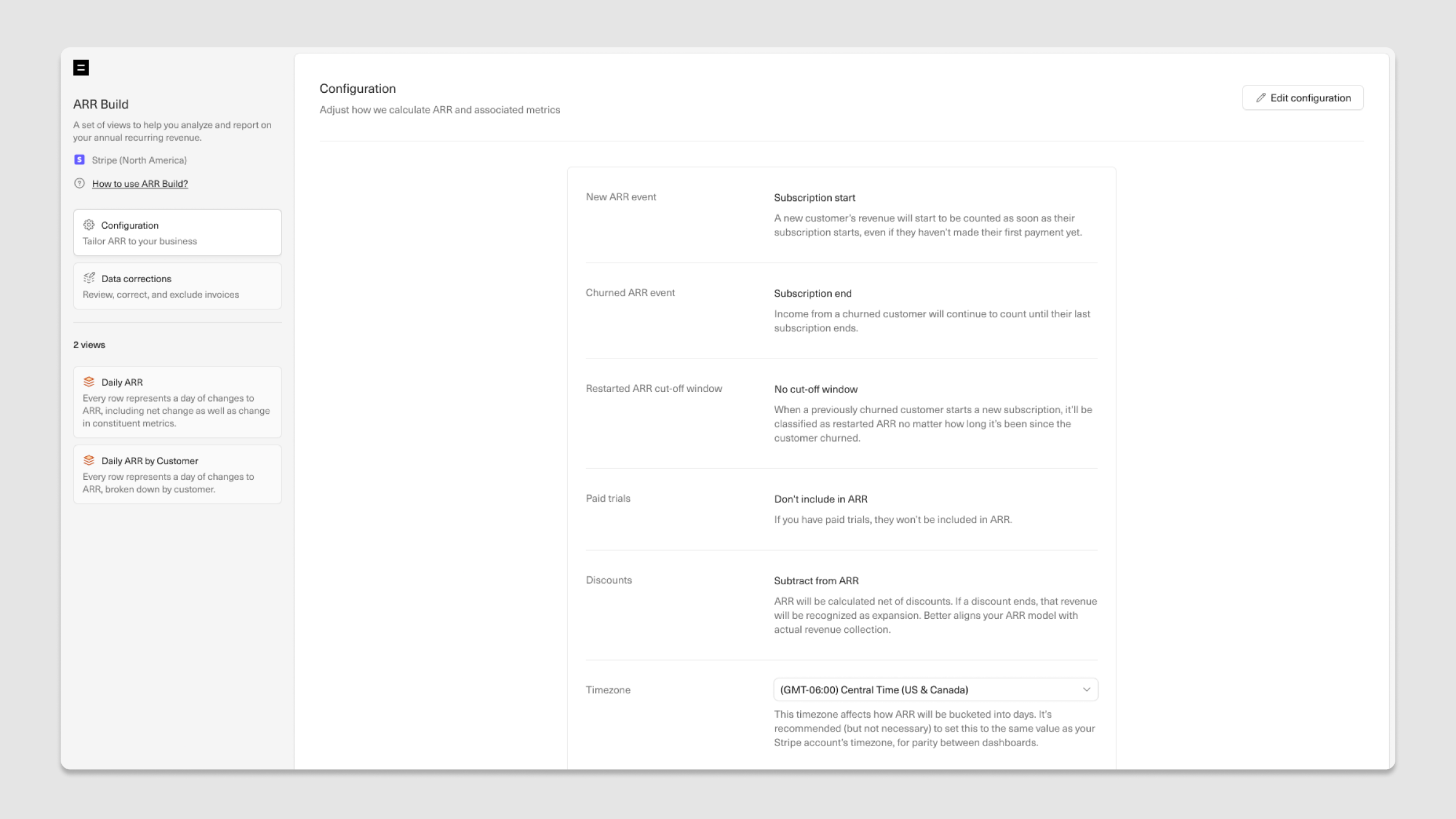
**ARR Build**: Here, you'll find your ARR Build `Configuration`, `Data corrections` and clean, analysis-ready tables (called `Views`) that display ARR movements for each customer each day they are active. The views can be queried from any workbook by workspace members with the right permissions. These views are stored and kept in sync with Stripe in your Equals Warehouse and are generated using default [configuration settings](https://docs.equals.com/docs/managing-your-arr-build#configuring-arr-build-logic), which you can adjust at any time to reflect how your business recognizes ARR.
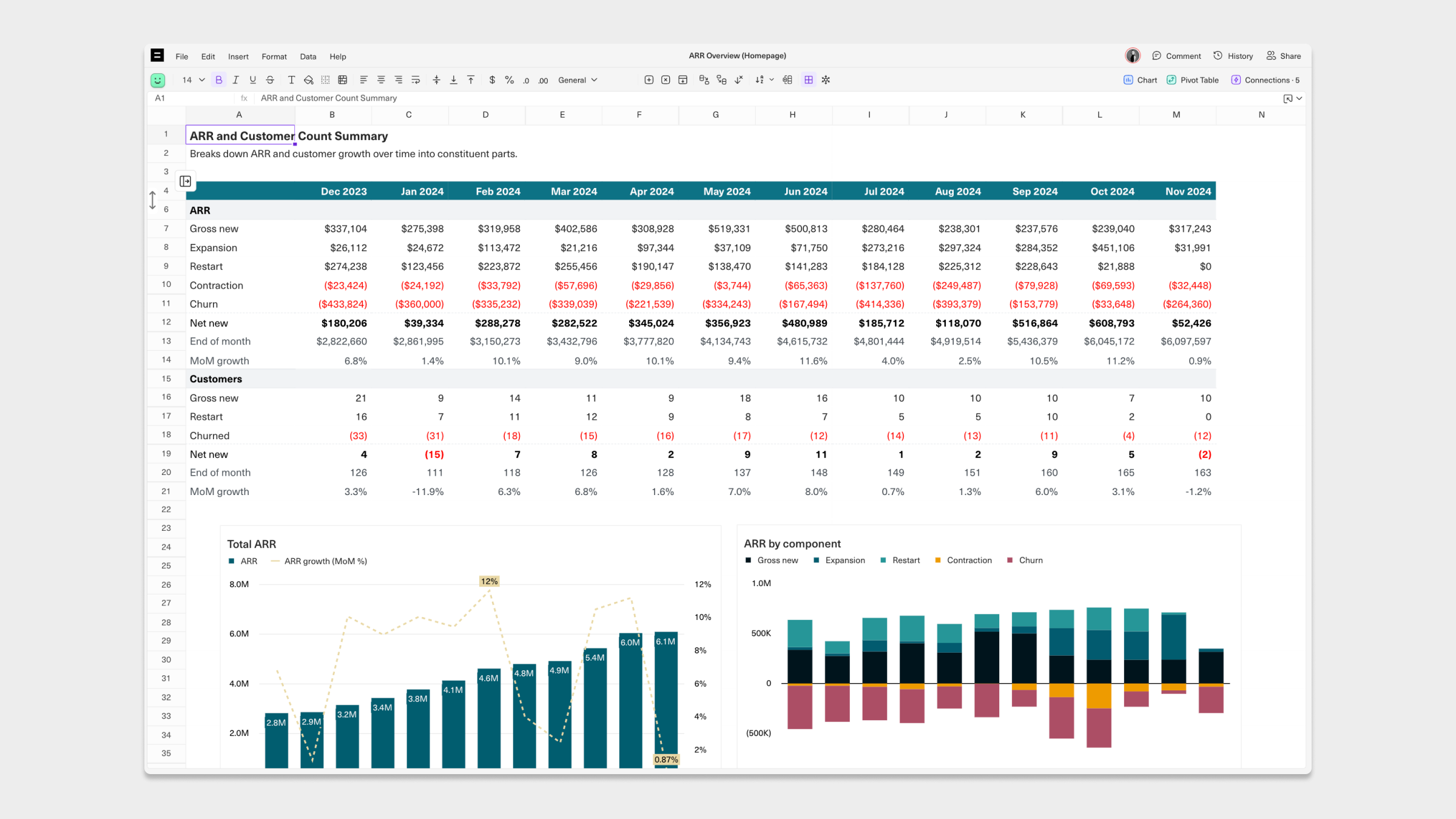
 **ARR Overview workbook:** This is one of three workbooks auto-generated for you using data from your ARR [views](https://docs.equals.com/docs/understanding-and-using-your-arr-build) based on your ARR Build's [configuration settings](https://docs.equals.com/docs/managing-your-arr-build#configuring-arr-build-logic). By default, [queries](https://docs.equals.com/docs/building-queries) in this workbook are scheduled to pull fresh ARR Build data into your Equals workbook daily. From here, you can use spreadsheet [functions](https://docs.equals.com/docs/supported-functions), pivot tables, and more to perform in-depth ARR analysis.
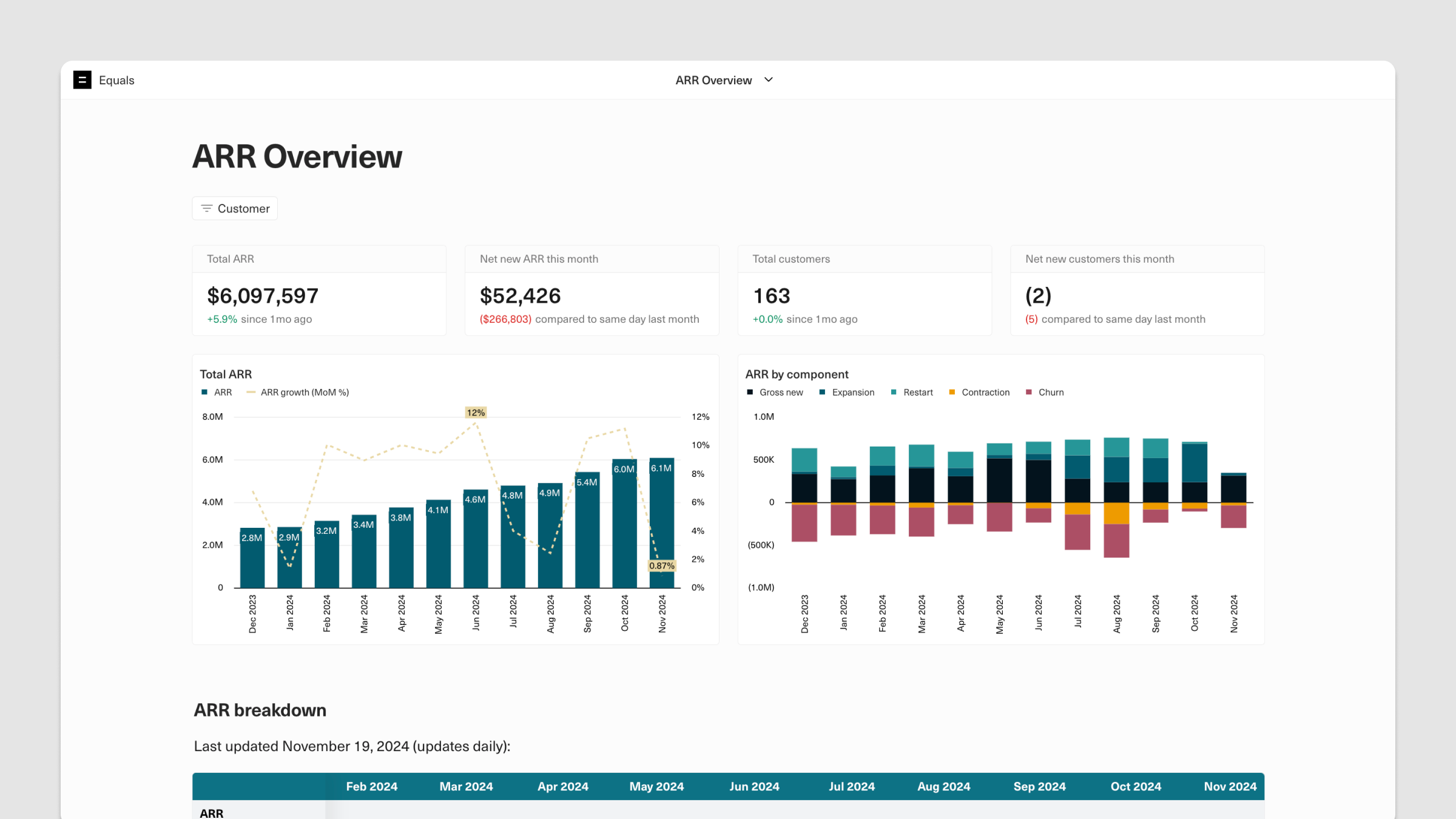
 **ARR Overview dashboard:** This dashboard, which comes pre-built as part of your ARR Overview workbook, visualizes your aggregated ARR summary, which displays ARR movements by ARR component and reporting period. From here, you can [schedule your dashboard](https://docs.equals.com/docs/send-dashboards-to-email-and-slack) to distribute to Slack or email on a recurring basis. You can also make edits using the doc-like dashboard editor.
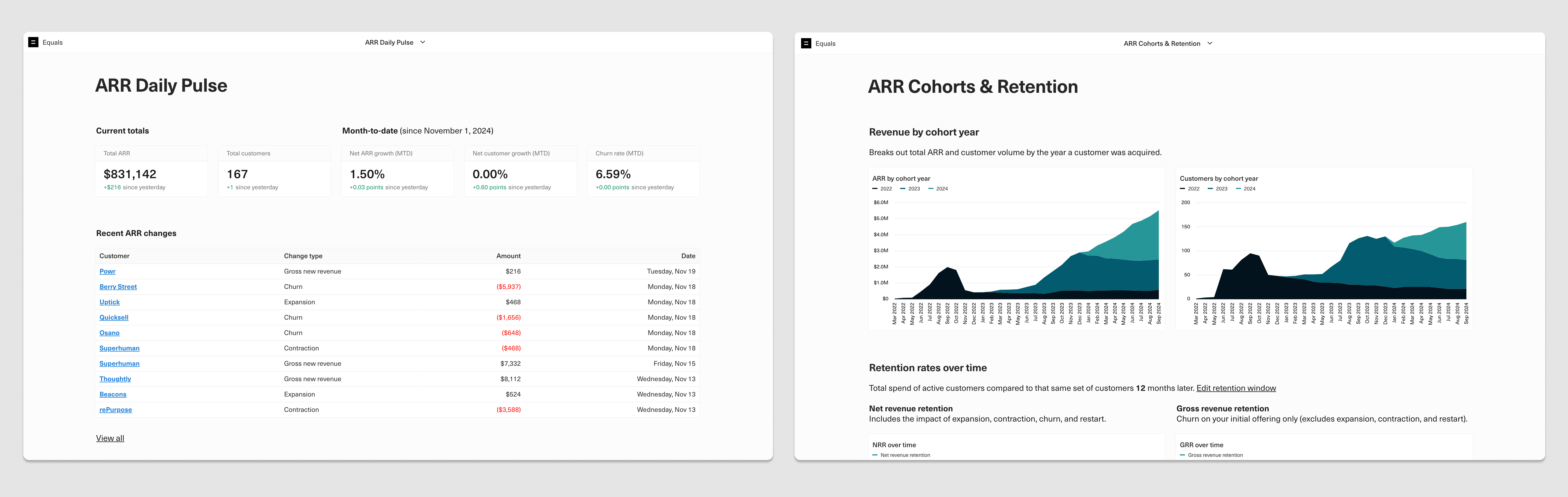
 In addition to your ARR Overview workbook, you'll get two other workbooks auto-generated using your ARR Build:
1. **Daily Pulse:** A daily snapshot of key ARR metrics and movements.
2. **Cohorts & Retention:** A cohorted view of ARR, including net revenue retention and logo cohorts.
In addition to your ARR Overview workbook, you'll get two other workbooks auto-generated using your ARR Build:
1. **Daily Pulse:** A daily snapshot of key ARR metrics and movements.
2. **Cohorts & Retention:** A cohorted view of ARR, including net revenue retention and logo cohorts.
 You can find all these workbooks from the `Get started` page of your workspace. On an ongoing basis, you can navigate to your workbooks from your workspace [Home](https://go.equals.com/home) and your ARR Build from your [Views](https://go.equals.com/views) page.
To get started with your ARR Build in Equals, we recommend that you:
1. Customize your ARR Build [configuration settings](https://docs.equals.com/docs/managing-your-arr-build) to align with your business's unique revenue logic.
2. Make any needed [corrections](https://docs.equals.com/docs/managing-your-arr-build#managing-stripe-invoice-corrections) or [exclusions](https://docs.equals.com/docs/managing-your-arr-build#managing-customer-and-domain-exclusions) to account for edge cases in your ARR Build data.
3. [Schedule](https://docs.equals.com/docs/send-dashboards-to-email-and-slack) your ARR Overview, ARR Daily Pulse, or ARR Cohorts & Retention dashboards to deliver automatically to Slack or email.
4. Leverage your ARR Build to create downstream [ARR reporting and analysis](https://docs.equals.com/docs/understanding-and-using-your-arr-build).
***
[Building and sharing analyses](/docs/building-and-sharing-analyses)
[Managing your ARR Build](/docs/managing-your-arr-build)
You can find all these workbooks from the `Get started` page of your workspace. On an ongoing basis, you can navigate to your workbooks from your workspace [Home](https://go.equals.com/home) and your ARR Build from your [Views](https://go.equals.com/views) page.
To get started with your ARR Build in Equals, we recommend that you:
1. Customize your ARR Build [configuration settings](https://docs.equals.com/docs/managing-your-arr-build) to align with your business's unique revenue logic.
2. Make any needed [corrections](https://docs.equals.com/docs/managing-your-arr-build#managing-stripe-invoice-corrections) or [exclusions](https://docs.equals.com/docs/managing-your-arr-build#managing-customer-and-domain-exclusions) to account for edge cases in your ARR Build data.
3. [Schedule](https://docs.equals.com/docs/send-dashboards-to-email-and-slack) your ARR Overview, ARR Daily Pulse, or ARR Cohorts & Retention dashboards to deliver automatically to Slack or email.
4. Leverage your ARR Build to create downstream [ARR reporting and analysis](https://docs.equals.com/docs/understanding-and-using-your-arr-build).
***
[Building and sharing analyses](/docs/building-and-sharing-analyses)
[Managing your ARR Build](/docs/managing-your-arr-build)