> ## Documentation Index
> Fetch the complete documentation index at: https://docs.equals.com/llms.txt
> Use this file to discover all available pages before exploring further.
# Manage dashboard access and permissions
> Select who can create, edit, and view a dashboard
Equals give you complete control over who can view and edit your dashboards and their underlying data.
### Workbook Permission Inheritance
Dashboards inherit the permissions of the workbook they are contained in. The folder's permissions are inherited if the workbook is contained in a folder. See [Sharing workbooks](https://docs.equals.com/docs/sharing-permissions#sharing-workbooks) for full details on how permissions work in Equals.
# View and edit access
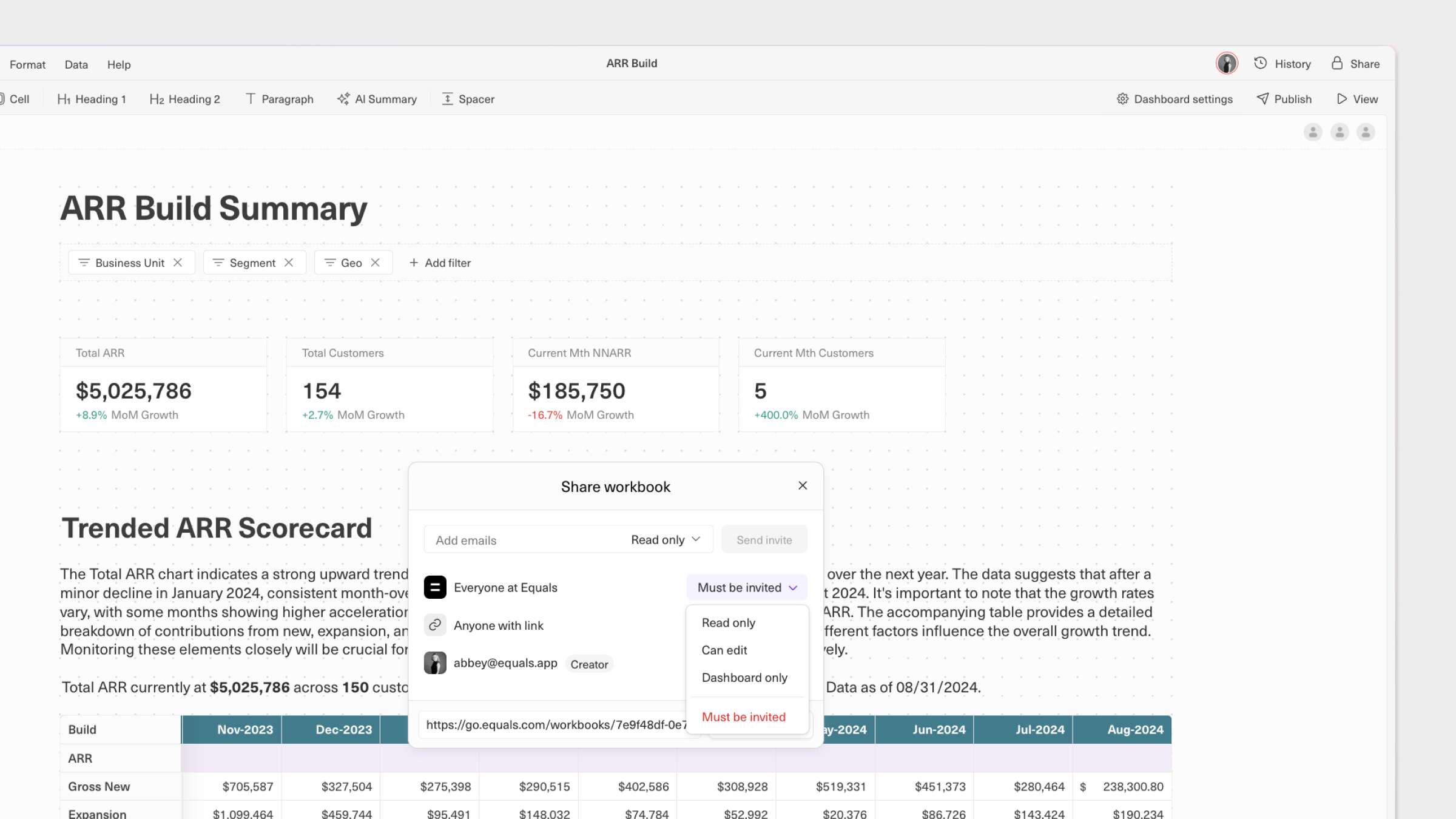
Click the `Share` in the top-right of the workbook to see and manage access settings for named and anonymous users. Note that only those with `Can edit` access can change these settings.
 ## Can edit
This will allow people to view and edit the dashboard and sheets in the workbook.
## Read only
People with this level of access will be able to view, but not edit, the dashboard and sheets in the workbook.
## Dashboard only
Use this setting to allow people to view, but not edit, the dashboard. Sheets in the workbook will not be accessible.
# Anonymous access
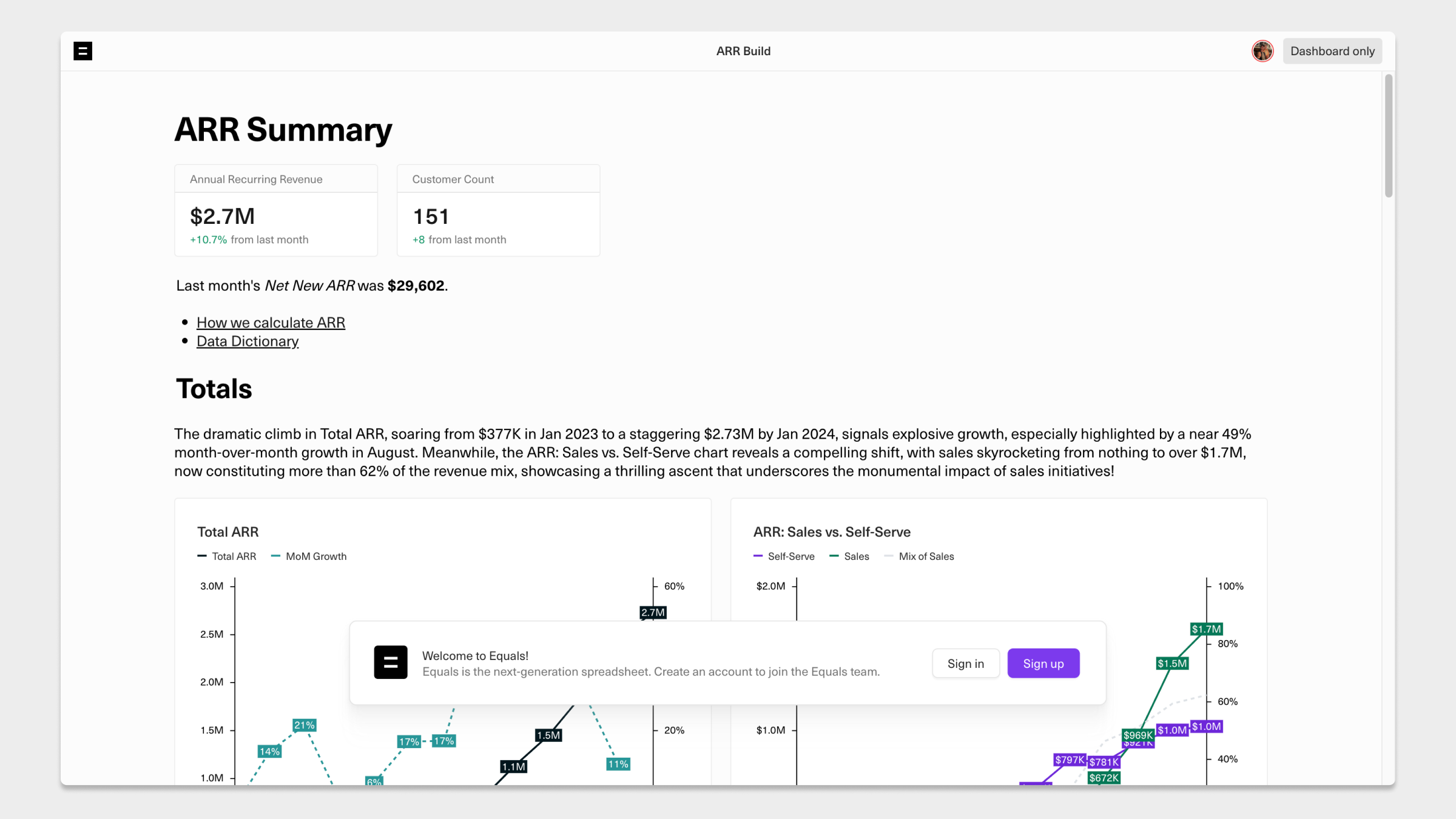
If you'd like to make your dashboard viewable by anyone without requiring an Equals account, simply change the access setting for`Anyone with the link` to `Can edit`, `Read only` or `Dashboard only`.
This is how a dashboard will appear to people without an account when `Anyone with the link` is set to anything other than `Must be invited`.
## Can edit
This will allow people to view and edit the dashboard and sheets in the workbook.
## Read only
People with this level of access will be able to view, but not edit, the dashboard and sheets in the workbook.
## Dashboard only
Use this setting to allow people to view, but not edit, the dashboard. Sheets in the workbook will not be accessible.
# Anonymous access
If you'd like to make your dashboard viewable by anyone without requiring an Equals account, simply change the access setting for`Anyone with the link` to `Can edit`, `Read only` or `Dashboard only`.
This is how a dashboard will appear to people without an account when `Anyone with the link` is set to anything other than `Must be invited`.
 ***
What’s Next
* [Send dashboards to email and Slack](/docs/send-dashboards-to-email-and-slack)
***
What’s Next
* [Send dashboards to email and Slack](/docs/send-dashboards-to-email-and-slack)