Concepts home page
Search...
⌘K
Ask AI
Search...
Navigation
Querying data
Schema refreshes
Home
Documentation
Getting Started
Start guide
Workspace setup
How to Spreadsheet
Get started with your ARR Build
Connect and transform data
Data Sync Overview
Databases and warehouses
Other datasources
Views
Import scripts
Writeback to CRM
Explore data
Querying data
Query version history
Joins
Cell references
Schema refreshes
Data notes & edits
Scheduling queries
Saved queries
Analyze data
Spreadsheet fundamentals
Calculated columns
Auto-expand
Command bar
AI Assist
Advanced formula editor
Report on data
Dashboards
Querying data
Schema refreshes
Datasource schemas will refresh automatically, or can be triggered manually

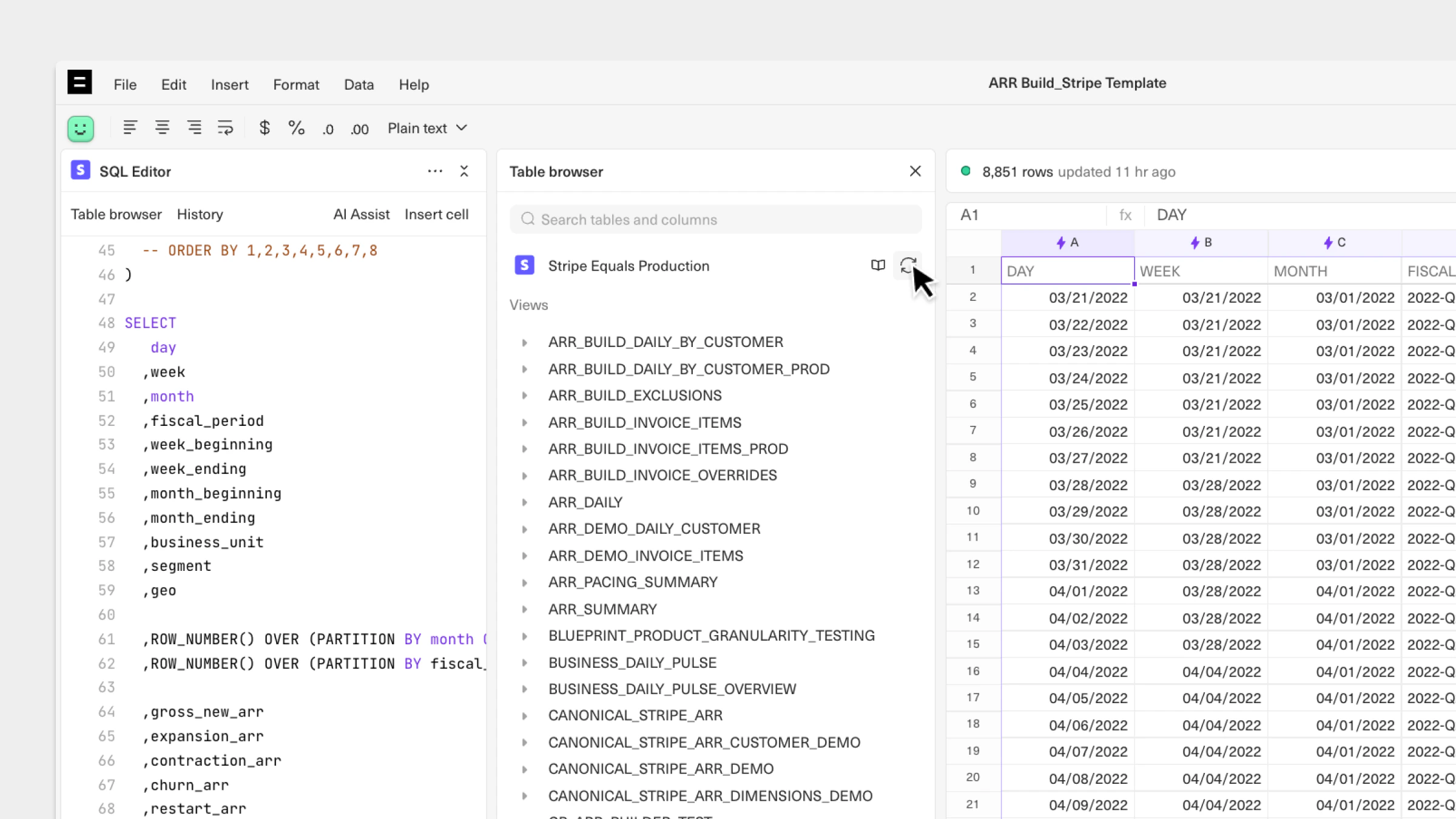
Datasources will refresh automatically every six hours, but you can also trigger a refresh manually. To do so:
Navigate to a connected sheet.
Open the table browser from the editor.
Click on the 🔄 icon to manually refresh the schema.
Cell references
Data notes & edits
Cell references
Previous
Data notes & edits
Next
Assistant
Responses are generated using AI and may contain mistakes.