

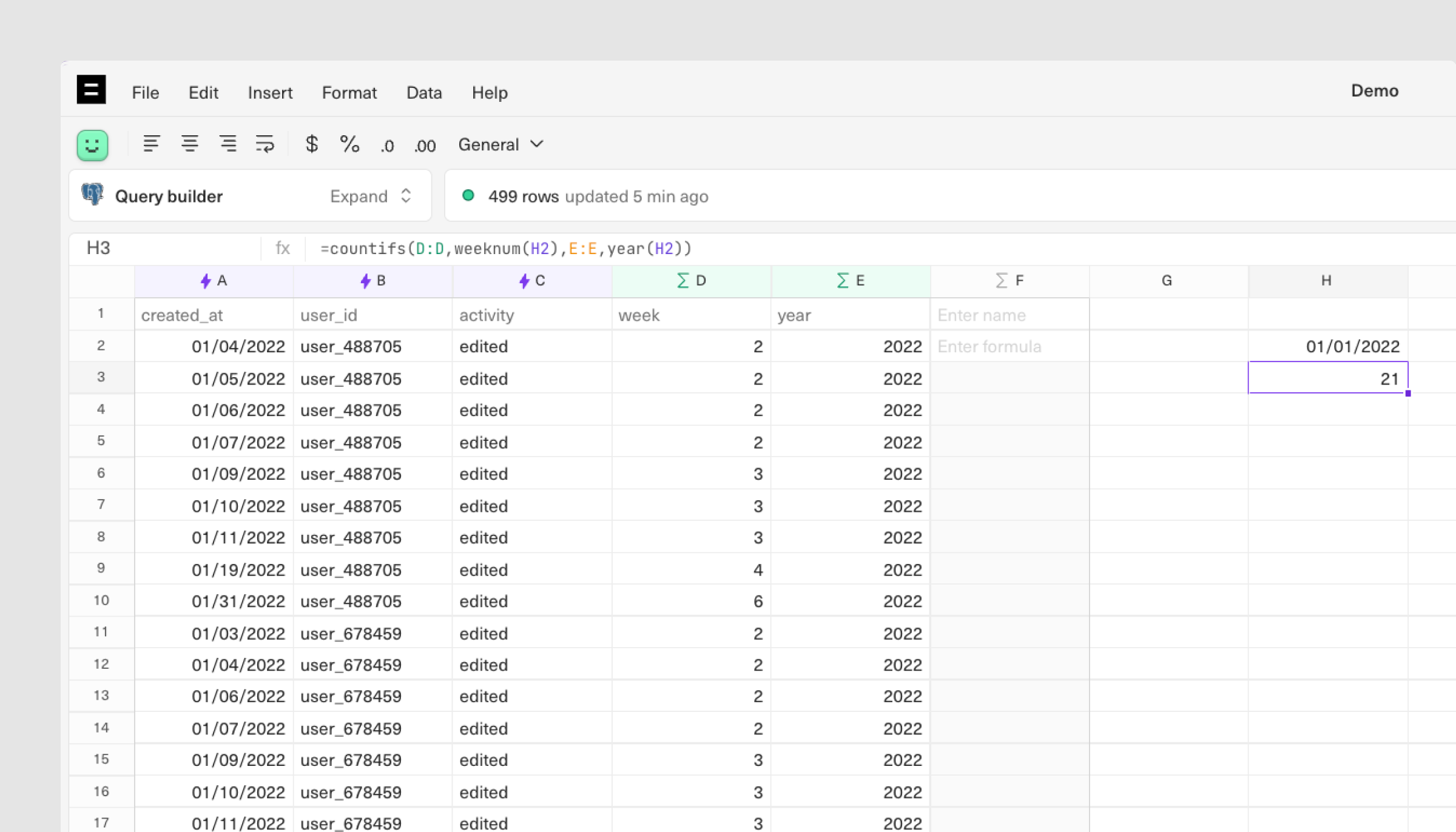
- Extract the week number and year from your date field in order to reference it in your formula.
- Now, write your formula to match on both week number and year:
=countifs(D:D,weeknum(H2),E:E,year(H2)).
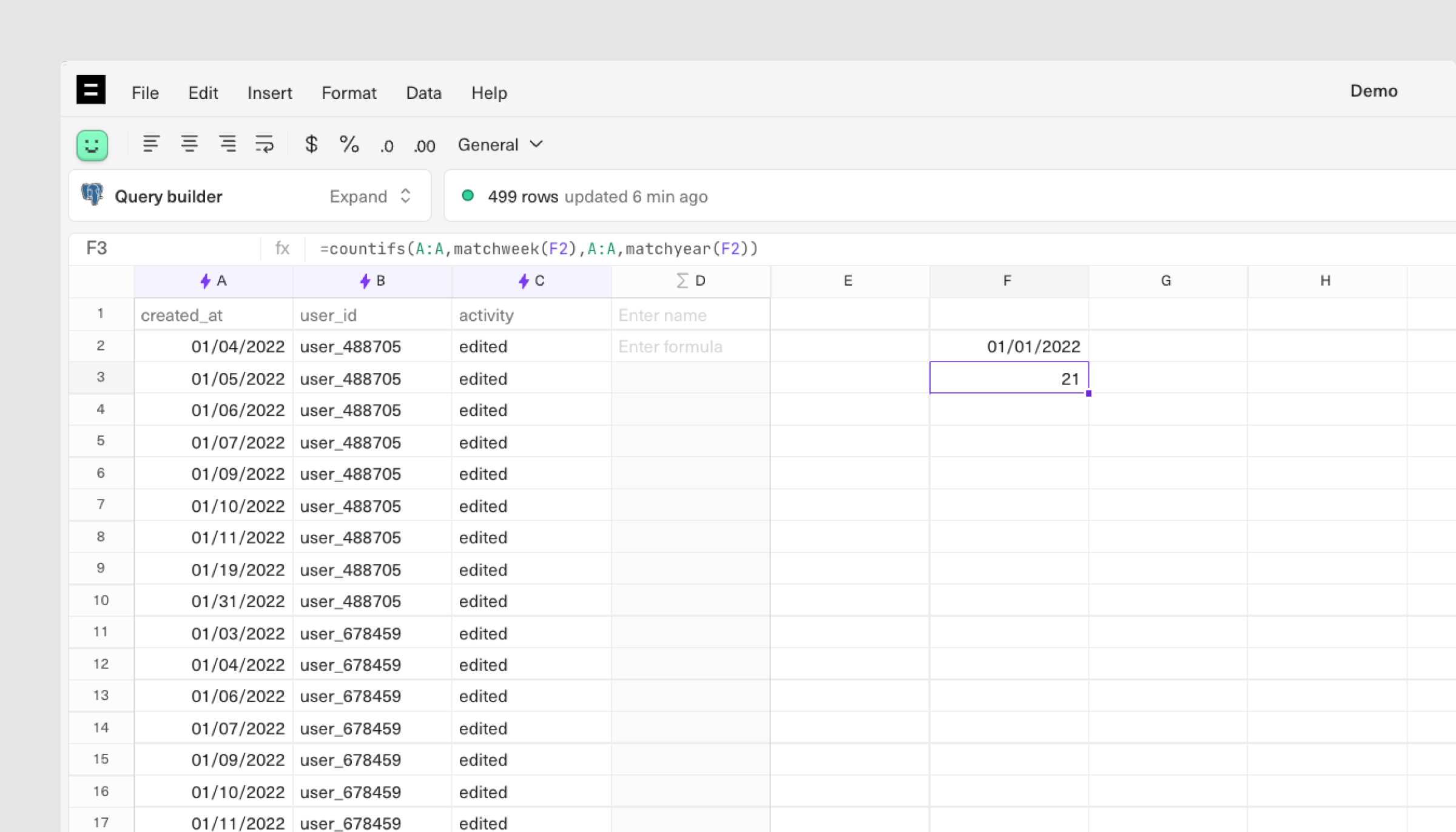
- Skip the calculated column and enclose the date value in a MATCHWEEK / MATCHYEAR formula:
=countifs(A:A,matchweek(F2),A:A,matchyear(F2)).
Working with dates Calculated columns