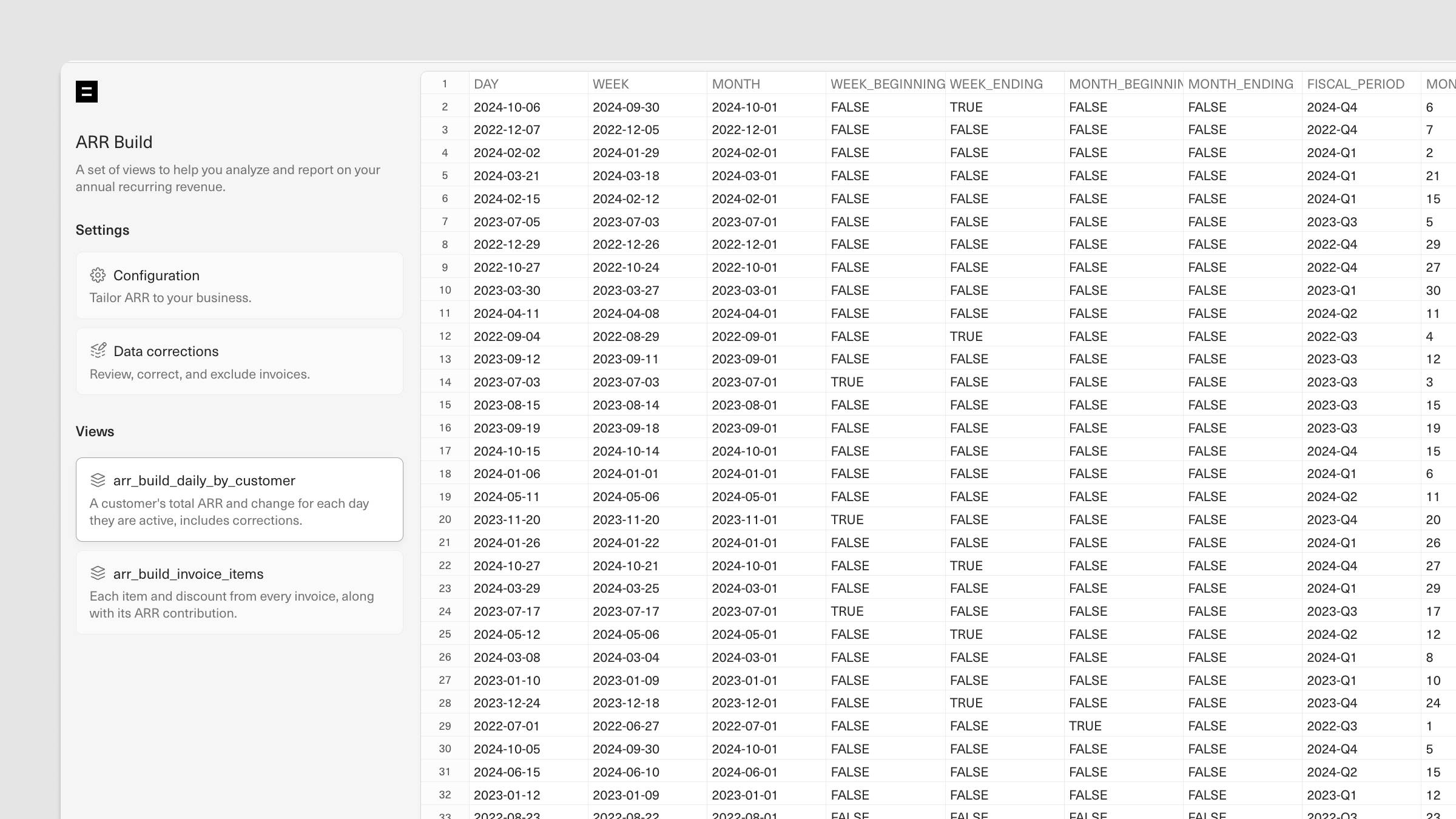
| Day | DATE | The specific calendar date. Useful for analyzing daily ARR trends. |
| Week | DATE | The specific week (set to the Monday of that week). Helps in aggregating ARR data by week for easier comparison of WoW trends. |
| Month | DATE | The specific month (set to the first day of that month). Allows for monthly trend analysis, a common timeframe for ARR reporting, and goal setting. |
| Week beginning | BOOLEAN | Indicates whether a given date is the first day of a week (TRUE or FALSE). Useful for setting up reports or visualizations that depend on weekly summaries. |
| Week ending | BOOLEAN | Indicates whether a given date is the end of a week (TRUE or FALSE). Allows for easy weekly data snapshots, making it easier to pull consistent weekly performance data. |
| Month beginning | BOOLEAN | Indicates whether a given date is the beginning of a month (TRUE or FALSE). Provides a monthly “start” data point for monthly summaries and snapshots. |
| Month ending | BOOLEAN | Indicates whether a given date is the end of a month (TRUE or FALSE). Provides a monthly “end” data point for monthly summaries and snapshots. |
| Fiscal period | VARCHAR(16777216) | Specifies the fiscal period (as denoted by the first month in the quarter, or “Jan”, “Apr”, “Jul”, and “Oct”). Essential for aligning ARR reporting with fiscal quarters for financial reporting and budget analysis. |
| Month day | NUMBER(10,0) | Indicates the day number within a month (1-31). Useful for tracking and analyzing mid-month trends, seasonality, and other patterns based on day-in-month positions. |
| Fiscal period day | NUMBER(10,0) | The day number within a fiscal period. Allows for detailed trend analysis within a fiscal quarter and for making time-based projections on a quarterly basis. |
| Customer name | VARCHAR(256) | The name of the customer account as it appears in Stripe. Allows for customer-specific analysis and reporting on individual ARR contributions. |
| Customer ID | VARCHAR(256) | A unique identifier for each customer as it appears in Stripe. Important for accurate aggregation and deduplication of customer records. Also enables accurate joins across tables. |
| Currency | VARCHAR(256) | The currency associated with each invoice value. If you need help creating multi-currency ARR reporting, reach out to us using the messenger in the bottom-right corner of your workspace Home. |
| Gross New ARR | NUMBER(38,12) | The ARR generated from a new customer within a given period. |
| Expansion ARR | NUMBER(38,12) | The ARR generated from an existing customer who upgraded or expanded their usage within a given period. |
| Contraction ARR | NUMBER(38,12) | The ARR lost from a customer who reduced their usage or downgraded within a given period. |
| Churn ARR | NUMBER(38,12) | The ARR lost due to a customer canceling their subscription within a given period. |
| Restart ARR | NUMBER(38,12) | The ARR from a customer who previously churned but who has returned within the restart cut-off window. |
| Net New ARR | NUMBER(38,12) | The net change in ARR for the period (Gross New + Expansion - Contraction - Churn + Restart) associated with a given customer. |
| Total ARR | NUMBER(38,12) | The cumulative ARR attributable to a given customer, up to and including a given period. |
| Gross New customers | NUMBER(1,0) | Flags whether a given customer is considered a new customer for a given period. |
| Expansion customers | NUMBER(1,0) | Flags whether a given customer is considered an expansion for a given period. |
| Contraction customers | NUMBER(1,0) | Flags whether a given customer is considered a contraction for a given period. |
| Churn customers | NUMBER(1,0) | Flags whether a given customer is considered a churn for a given period. |
| Restart customers | NUMBER(1,0) | Flags whether a given customer is considered a restart for a given period. |
| Net new customers | NUMBER(1,0) | Flags whether a given customer is considered a net new, gross new, churn, or restart customer for a given period. |
| Total customers | NUMBER(1,0) | Flags the ongoing active status of a given customer, allowing for historical tracking of customer activity on any given day. |